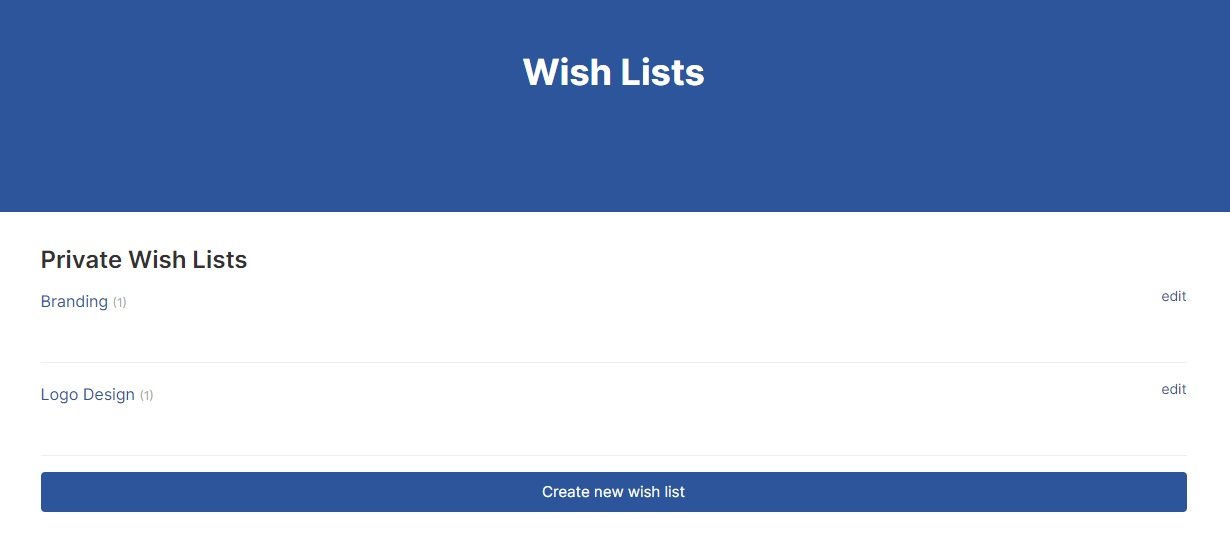
PicklesBucket understands that every creative while working on a project, they might want to save something for later. Therefore, we created a wish lists for all our creatives to keep their favorite products. Also, this wish lists can be very customized to fit every creative needs.
How to create new wish list? #
There are 2 ways to create new wish list;
1- First method: Hover over your profile name on the top right corner > click wish lists. It will transfer you to your wish lists, then you will find wide button to create new wish list.

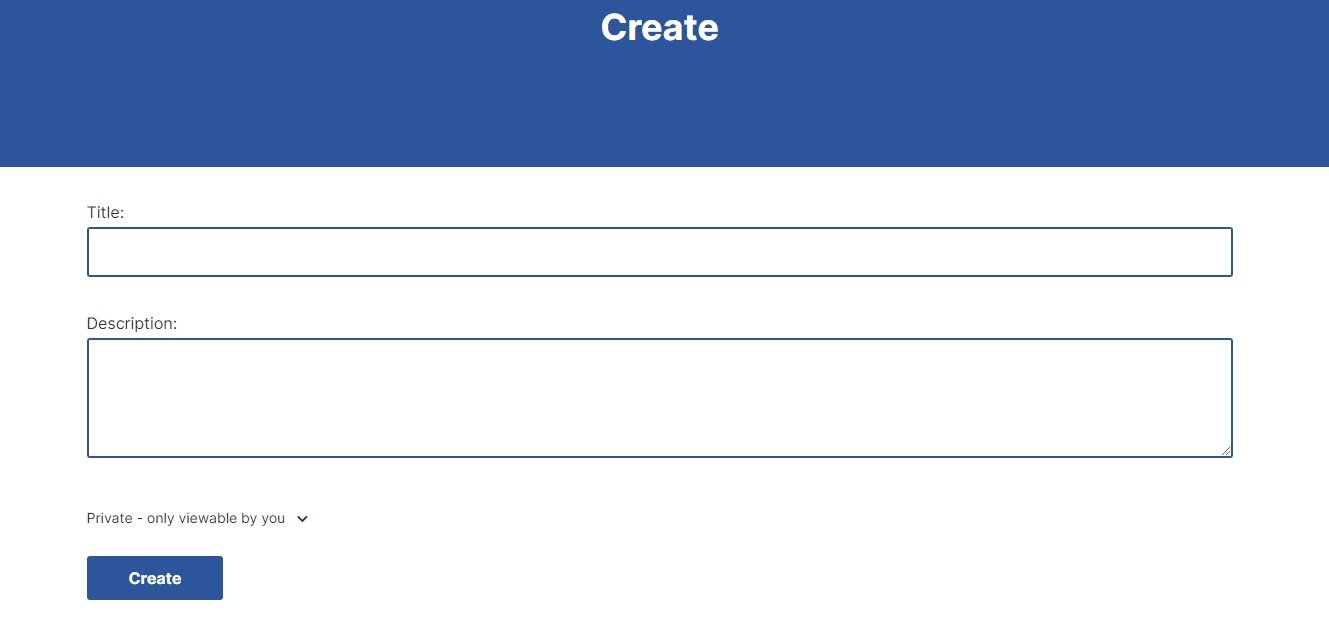
After you click on it, you can type the name of the new wish list, description and whether it will be private or visible to everyone. Then click “Create”.
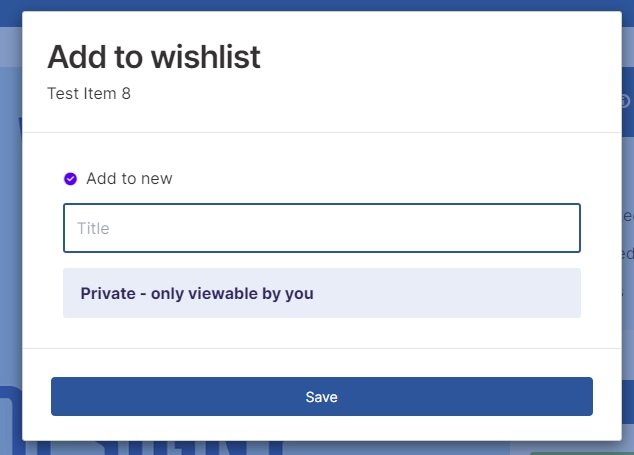
2- Second method: When you are in a product page, click on “Add to wishlist” above the download button. A popup screen will appear to write the name of the wish list and select privacy option. then click “Save”.

Add products to your wish list #
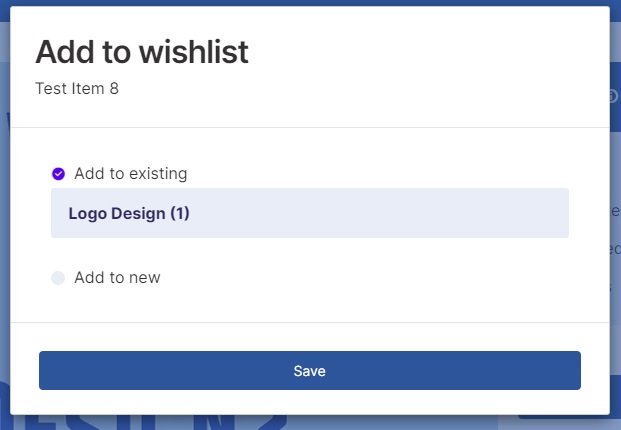
From the product page, click on “add to wishlist” button above the download button. A popup screen will appear and you can select from add the product to existing wish list or add it to new wish list. Then click on “Save”.
View and edit your wish list #
Hover over your account name on the top right. Then click “Wish Lists”. From the wish lists page, you can view any of your wish lists by clicking on its name. Or click on “Edit” to rename the list or delete it.
Or after your view the wish list, click on “Edit Settings” at the bottom of the wish list. Then you can rename or delete the wish list.